Scaling Your Team on WhatsApp: Multi-Device Strategies That Work

Scaling Your Team on WhatsApp: Multi-Device Strategies That Work
TL;DR: WhatsApp Business API enables teams to share a single business number across unlimited agents and devices. The key is smart routing, consistent customer context, and AI assistance that helps human agents—not replaces them. Here’s how to scale your WhatsApp team without losing quality.
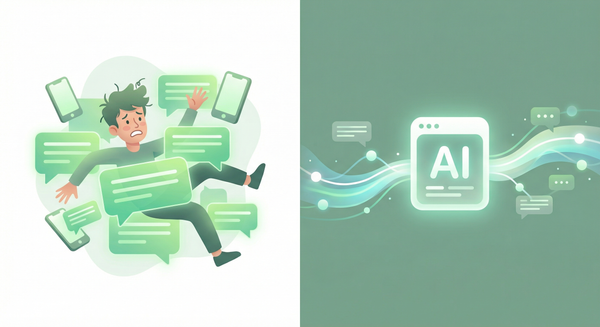
The Single-Phone Problem
Many businesses start WhatsApp commerce with one phone: - The owner’s personal device handling customer messages - One person juggling sales, support, and orders - Business hours limited to when that person is awake - Vacation means customers wait or get missed
This doesn’t scale. But the solution isn’t just “more phones.”
WhatsApp Business API: The Foundation
WhatsApp Business API solves the device problem by moving conversations to the cloud:
- Single number: One business number, unlimited team members
- Browser-based: No phones required—work from laptops, tablets, any device
- Simultaneous access: Multiple agents can handle conversations at once
- 24/7 coverage: Team members across time zones share the load
- Integration ready: Connect to CRM, help desk, automation tools
Important distinction: This is different from WhatsApp Business App (which still ties to one primary device). API access requires Meta approval and typically a BSP (Business Solution Provider) or platform like Watsi.
Designing Your Team Structure
Model 1: First-Available Agent
Simple and fast. Incoming messages go to whoever responds first.
Best for: Small teams (<5), general inquiries, speed over specialization
Pros: Minimal setup, fast response times Cons: Inconsistent expertise, context loss on handoffs
Model 2: Round-Robin Distribution
Messages assigned evenly across available agents.
Best for: Support teams, fair workload distribution, SLA compliance
Pros: Balanced load, predictable capacity planning Cons: May route complex issues to junior agents
Model 3: Skill-Based Routing
Messages routed based on type, language, or complexity.
Best for: Diverse product lines, multi-language support, tiered service
Pros: Right agent for each conversation, higher resolution rates Cons: Requires message classification (AI helps here)
Model 4: Hybrid AI + Human
AI handles initial triage and routine questions; humans handle escalations.
Best for: High volume, scalability, cost optimization
Pros: Infinite scale for routine queries, humans for complex issues Cons: Requires AI training and clear handoff protocols
Preserving Customer Context Across Agents
The worst customer experience: “Can you explain your issue again? I’m a different agent.”
Unified Conversation History
Every agent sees the full conversation history—not just their portion. Context includes: - Previous purchases - Past support issues - Customer preferences - Notes from other team members
Smart Handoff Notes
When transferring conversations, require agents to summarize: - What the customer needs - What’s already been tried - Recommended next steps
AI can auto-generate these summaries, reducing handoff friction.
Customer Ownership
For high-value customers, assign dedicated representatives. The relationship matters more than routing efficiency.
AI as Team Multiplier
AI doesn’t replace your team—it makes each person more effective:
Suggested Responses
AI analyzes the conversation and suggests replies. Agents approve, edit, or replace—but response time drops dramatically.
Auto-Drafted Messages
For routine queries (order status, product info), AI drafts complete responses. Agents review and send with one click.
Real-Time Coaching
AI flags potential issues: “Customer seems frustrated—consider offering X” or “This product is out of stock—suggest alternatives.”
After-Hours Coverage
AI handles conversations when humans are offline, escalating urgent issues via notification.
Metrics That Matter for Team Performance
Track these to optimize your multi-agent setup:
| Metric | Target | Why It Matters |
|---|---|---|
| First response time | <5 minutes | Customer expectation baseline |
| Resolution time | <2 hours | Efficiency measure |
| First-contact resolution | >70% | Quality indicator |
| Customer satisfaction | >4.5/5 | Experience quality |
| Agent utilization | 60-80% | Workload balance |
| Escalation rate | <20% | AI/training effectiveness |
Common Scaling Mistakes (and Fixes)
Mistake 1: Too Many Handoffs
Problem: Customer talks to 3+ agents before resolution Fix: Skill-based routing + agent empowerment to resolve without escalation
Mistake 2: Inconsistent Tone
Problem: Each agent sounds different, brand voice is diluted Fix: Response templates, AI suggestions aligned to brand, regular calibration
Mistake 3: Lost Context
Problem: Agents ask customers to repeat information Fix: Unified CRM integration, mandatory handoff notes, AI summaries
Mistake 4: Uneven Workload
Problem: Some agents drowning, others idle Fix: Real-time queue monitoring, automatic rebalancing, capacity alerts
Mistake 5: No Escalation Path
Problem: Agents stuck on issues they can’t resolve Fix: Clear escalation triggers, supervisor availability, documented procedures
Implementation Checklist
Week 1: Foundation - [ ] Set up WhatsApp Business API access - [ ] Define team roles and routing rules - [ ] Create response templates for common scenarios
Week 2: Training - [ ] Train team on platform and tools - [ ] Establish brand voice guidelines - [ ] Practice handoff procedures
Week 3: Soft Launch - [ ] Start with subset of conversations - [ ] Monitor quality closely - [ ] Gather agent feedback
Week 4+: Scale - [ ] Expand to full volume - [ ] Implement AI assistance - [ ] Optimize based on metrics
Key Takeaways
- WhatsApp Business API enables unlimited team members on one business number
- Choose routing model based on volume, complexity, and team structure
- Preserve customer context with unified history and smart handoff protocols
- AI multiplies team effectiveness—suggested responses, auto-drafts, real-time coaching
- Track first response time, resolution rate, and CSAT to optimize performance
Ready to Scale Your Team?
Single-phone WhatsApp worked when you started. It won’t work for where you’re going.
Watsi provides the infrastructure for multi-agent WhatsApp commerce—routing, context, AI assistance, and analytics built in.
Watsi helps teams scale WhatsApp commerce without losing the personal touch.